Contact
Free Chrome extension02 / 02

Any Theme &Extension Detector

Shows what a website is built with: its platform, its theme and the apps and plugins running on it.

What it does

Open a store, a forum or a blog and click the icon. The platform, the theme and every app it recognises are right there.
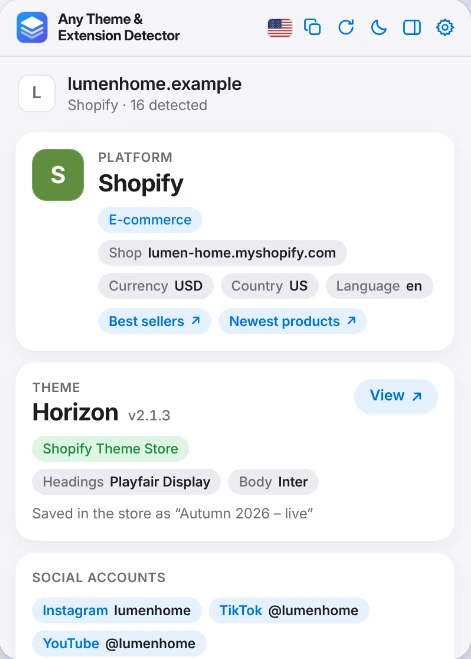
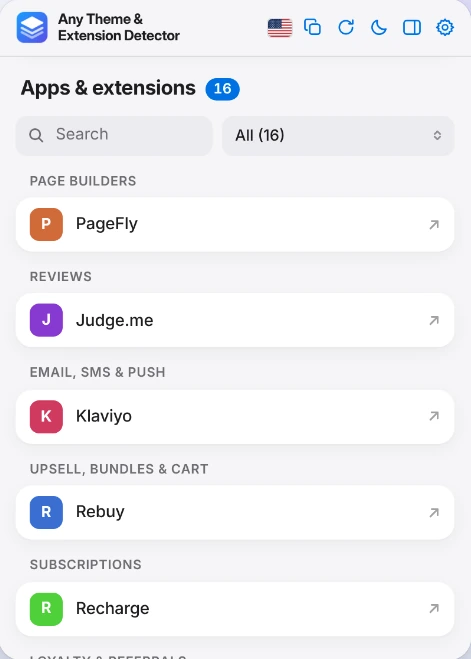
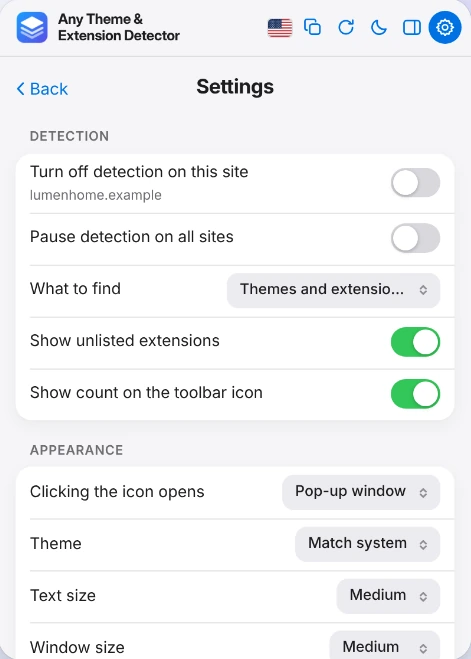
The extension window for an example shop: platform Shopify, theme Horizon version 2.1.3 from the Shopify Theme Store, fonts and social accounts. The apps and extensions list with a search field and a category filter, grouped under page builders, reviews, email and subscriptions. The settings screen: turn off detection on this site, pause detection on all sites, show unlisted extensions, theme, text size and window size.
ShopifyWooCommerceWordPressMagentoBigCommercePrestaShopOpenCartWixSquarespaceWebflow
XenForophpBBDiscourseJoomlaDrupalikasTicimaxIdeaSoftT-Soft
What you see

Platform, theme, apps and the rest

More than 120 platforms are recognised: shops, forums, site builders and content systems.

Platform

Shopify, WooCommerce, WordPress, Magento, Wix, Webflow, XenForo, Discourse and many more, including ikas, Ticimax, IdeaSoft and T-Soft.

Theme

Name and version when the site exposes them. On Shopify, also where the theme comes from and the name it is saved under in the shop.

Apps and plugins

Reviews, email and SMS, upsell, subscriptions, loyalty, search, payments, analytics, cookie consent and more, grouped in 25 categories.

Search and filter

Search the list or narrow it down to a single category.

Fonts and social accounts

The fonts the page uses and the social profiles it links to. On Shopify, shortcuts to best sellers and newest products.

Copy the report

Take everything with you as plain text or JSON.

Comfort

Made to be used all day

  • Where it opensA popup window or Chrome's side panel.
  • ThemeLight and dark.
  • Languages50 interface languages.
  • SizeAdjustable text and window size.
How it works

Public details, matched locally

The extension reads public technical details of the page in your tab (script and stylesheet addresses, the generator tag, a few platform variables) and matches them against a built-in database: 360+ app signatures, 140 WordPress plugins and 290+ Shopify themes.

1Open

Open any site

A shop, a forum, a blog. The toolbar icon can show how many things were detected.

2Click

Click the icon

Platform and theme come first, with the version and source where the site exposes them.

3Browse

Go through the apps

Apps and plugins are grouped by category. Ones outside the database still appear when the platform exposes them, labelled "unlisted".

4Copy

Take it with you

Copy the whole report as plain text or JSON.

Privacy

Private by design

All analysis happens inside your browser.

Read the privacy policy
  • No accountNothing to sign up for.
  • No analytics, no adsThe extension contains neither.
  • Nothing sent anywhereNo data is sent to any server.
  • Pause any timePause detection everywhere, or turn it off for individual sites, in Settings.
Limits

Good to know

Detection depends on what a site chooses to expose.

All questions and answers
Why is the theme name missing on some sites?
Detection relies on the information a site exposes. Some platforms hide the theme name.
Why are some apps not detected?
Some apps load only on product or cart pages, so they can only be seen there.
I just installed it and nothing shows up.
Tabs that were already open before installation need to be refreshed once.
What does "unlisted" mean?
An app that is not in the built-in database but that the platform itself exposes. It is still shown, with an "unlisted" label.
Is the extension connected to the platforms it detects?
No. Product names and brands belong to their owners. This extension is not affiliated with, or endorsed by, the platforms and apps it detects.

Add it to Chrome

It is free and needs no account. Open any website and click the icon.

Add to Chrome
Next pageFAQ